Search This Blog

Showing posts with label Phones. Show all posts

4 ways to block harmful ads on a mobile device - Tech Review Place

4 ways to block harmful ads on a mobile device 

Hi,

These are the 4 options available in your hand to block harmful ads on your mobile phone

1. Turn ON Restricted mode


In any browser/ Youtube, this option is available. You need to just turn in it ON to avoid harmful websites. You may have a doubt. Why should I do this? YES, always ads will come based on your website visits. If you are watching an 18+ or porn website your mobile ad setting will create THAT related ads. So first do RESTRICTED MODE ON.

2. Use Incognito Mode.


If want to search for things which is no need to track/record, TURN ON INCOGNITO mode. So your search history won't save and you don't get ads related to THAT

3. 'Do Not Track' ON

Enabling ' DNT' means that a request will be included with your browsing traffic. Any effect depends on whether a website responds to the request and how the request is interpreted

For Example, some websites may respond to this request by showing you ads that aren't based on other websites that you have visited. Many websites will still collect and use your browsing data - for example, to improve security, to provide content, ads and recommendations, and generate reporting statics.

4. Control on Site Settings


In Browser, there is a site setting is there. In that you can see, Ads bar is there. So turn Off that you minimize harmful ads.

What are some simple useful tricks on smartphones? - Tech Review Place

 What are some simple useful tricks on Smartphones?

Hi,


The following tricks  you can learn in a Minute

1. IMEI Code searching

Dial #*06#

2. Screenshot Click

Press Vol Down key and Power Key

3. Dial from Number

Press any number dial pad to assign a person to call

4. Quick Open

Long press the app icon to go directly to new messages, feeds

5. Time-saving by G Talk

Press the mic button on the keypad to input texts from voice

6.Continuous click

Pressing  continuously camera capture button to take multiple photos 

What is the reason mobile suddenly comes home screen while using? - Tech Review Place

 What is the reason mobile suddenly comes home screen while using?

Hi,

The following 3 reasons are there for mobile suddenly comes home screen while using.

1. Low RAM  -  Every application/Games need the necessary RAM to work on mobile. If the RAM is low the mobile couldn't run properly and the resulted app will close and come to the home screen. For example, if you are playing PUB-G, Free fire, GTA, Asphalt like heavy games, you need to min 4GB RAM. Mainly for online games, 4GB RAM is the minimum requirement

2. Virus in Mobile - If you are downloading unnecessary apps from other platforms, viruses may attack your phone. So the main function of the virus is collapsing your mobile apps.so this will be one of the reasons for mobile suddenly comes home screen while using

3.Not sufficient Memory in mobile - If you are running an app with low device memory, the app will close automatically due to some programme code extraction not happening as per the sequence. One thing you must remember, all apps/games will store only in device memory, not in the memory card. So if you are using high memory games/app without phone memory mobile suddenly comes home screen while using.

100 Must have Android apps in 2020 - Tech Review Place

100 Must-have Android apps in 2020

Are you an Android phone owner? The following apps will help to improve your mobile to the next level. Most innovative apps are made by China and India.

Tech Review Place
100 Must Have Android Apps


Here we see Top 100 Apps ( Apart from default apps like Gmail, Youtube, Etc..,)

  1. WhatsApp
  2. TikTok
  3. Zoom Cloud Meetings
  4. Aarogya Setu
  5. Google Meet
  6. UVideo - Make Your Life Story
  7. Google Pay
  8. Instagram
  9. Facebook
  10. Helo
  11. MX Player
  12. SHAREit
  13. Truecaller
  14. Snapchat
  15. Likee
  16. PhonePe
  17. Telegram
  18. Public - Local Videos
  19. Messenger
  20. BeautyPlus
  21. Applock
  22. UC Browser
  23. Amazon
  24. B612
  25. MV Master
  26. PayTm
  27. Gaana
  28. PicsArt Photo Editor
  29. VITA
  30. Zili - Funny Videos
  31. KineMaster - Video Editor
  32. CamScanner
  33. HAGO 
  34. Amazon Prime Video
  35. Club Factory
  36. ZEE5
  37. IllisiumArt
  38. Hotstar
  39. Google Classroom
  40. Futurescope
  41. Windy.com
  42. Twitter
  43. BIGO LIVE
  44. StarMaker
  45. U-Dictionary
  46. IMO 
  47. BYJU's - The Learning App
  48. Pinterest
  49. Google Translator
  50. Netflix
  51. Where is my Train
  52. WPS Office
  53. Sticker.ly
  54. Alibaba.com
  55. MP3 Cutter and Ringtone Maker
  56. VLC player
  57. Parallel Space
  58. YouCam Perfect
  59. Dailyhunt 
  60. Swiggy
  61. Zomato
  62. LinkedIn
  63. UMANG
  64. Lyrical.ly
  65. Home Workout - No Equipment
  66. IRCTC Rail Connect
  67. Gallery
  68. Ola Cabs
  69. Uber
  70. MI Remote
  71. AZ Screen Recorder
  72. Hike
  73. Audible
  74. Skype
  75. Image to Pdf Converter
  76. DigiLocker
  77. Inshort
  78. Quora
  79. Google Lens
  80. Shazam
  81. HelthifyMe
  82. Stylish Text
  83. Reverse Movie FX
  84. Moneycontrol
  85. Slow Motion Video maker
  86. MP3 Video Converter
  87. Flim Maker
  88. Polish Photo Editor
  89. Way2NEWS
  90. Tinder
  91. Smule
  92. SKOUT
  93. Flipkart
  94. SmartPrix
  95. 1mg- Online Medical Store
  96. Canva
  97. Drops
  98. Musixmatch Lyrics
  99. Olx
  100. TeamViewer 

Top 10 most Innovative app in Google Playstore - Tech Review Place

Top 10 Most Innovative app in  Google Playstore


The following apps will make you more surprise if you are using regularly


1. Smart Prix :


Smartprix.com is a great tool for online comparison shopping. We make it surprisingly easy for you to find a mobile, know about that mobile, compare it with other model mobiles.


 2. FlipKart 


.India' Biggest Online shopping App. You can get all the things with faster delivery and great quality

3. Thumbnail Markers:


The best tool for Thumbnail maker

4. Perfect Piano


In your free time, you can enjoy playing this. Looks like real

5. World's Amazing Facts:


You can make yourself more Knowledgeable by reading this

6. Polish Photo Editor Pro


One of the best Photo editor App. Very Simple and have a great edit tools

7. Financial Calculator  India


I am using this for a long time. This app made for India. You can see all savings scheme details here.

8. Telegram


Name only is Old name. But the User Interface and contents are superb. You can add new friends. You can see all movies. No limit for storage. Very easy to use.

9. Zoom Cloud


Group Video call app. Useful in Lockdown time

10. UMANG


This is the India Government App, you can get all the latest government schemes details.

Special Mention - Gpay


The Leads Money transfer app. Used all over world. Simply you can add peoples by their mobile number. Bank transfer also possible

Top 11 Apps will call without a SIM card - Tech Review Place

Top 11 Apps will call without a SIM card

The following apps will help to make a call without SIM card. But you need Wifi Connection to do that.

Top 11 Apps will call without a SIM card - Tech Review Place


1. Skype

2. WhatsApp

3. Viber

4. Hike

5. IMO

6. Tango

7. Messenger

8. Google Duo

9. Instagram

10. Wechat

11. Hangouts


Your Phone Privacy in RISK - Tech Review Place

Your Phone Privacy in RISK

Your Phone Privacy in RISK

The following things will affect your phone privacy. 

1. Avoid  Save Login with ID and Password 

Your Phone Privacy in RISK - Tech Review Place


       Whenever you are login on any website your mobile browser will ask to save your password. If you click save the password, then you no need to enter your password and ID every time to the website. BUT.... If someone uses your phone, they can easily see your passwords without any effort. This will result in a bigger loss for you. So try to memories your password instead of saving on mobile.

2. Avoid Save Your Private Pictures in Cloud

Your Phone Privacy in RISK - Tech Review Place


       Your memories are priceless. Keep your phones in the memory card. Now every phone has own Cloud account to save your photos with upgradable storage. But You must know that is also one type of internet-based operating system. ANYONE can access your data with your user ID and Password. Hackers will hack it easily if it in the cloud.


3. Avoid Turn ON Contacts Sync

Your Phone Privacy in RISK - Tech Review Place

      Whenever you are using social media, there is an option to sync your contacts to identify your friends. This looks really helps you. But the reality is they are stealing your contacts with your permission.

4. Avoid Click ON links

Your Phone Privacy in RISK - Tech Review Place


       You may see a lot of Ad links on your mobile when you are browsing any website. Every link connected with one backlink to other sites. The link text may be like Winning a Lottery, Price Drop, Free services like that. But The backlinks will lead to access to your Privacy. So do not click any unwanted links.

How to turn off the roaming option in SIM on an Android phone? - Tech Review Place

How to turn off the roaming option in SIM on an Android phone?

How to turn off the roaming option in SIM on an Android phone? - Tech Review Place

Hi,

Follow the steps to turn off the roaming option in SIM on an Android phone.

1. Go to "Settings"

2. Click " SIM card & Mobile Settings"

3. Click the "Data Roaming" option

Here you can "Turn off" the Roaming of your mobile phone.

Why do recent mobiles come with a built-in battery? - Tech Review

Why do recent mobiles come with a built-in battery? 

Why do recent mobiles come with a built-in battery? - Tech Review

Hi,

Nowadays all mobiles came with a built-in battery. There is a reason behind the mobile built up.
Let us see what is the reason for that.

In Initial days, All mobile manufacturers start built with the battery replacement method. That time mobile is new to the world. So, there is a huge profit due to new things launched. After some years, everyone desired to repair the mobile by changing the faulty parts. Because there are no big competitors and no new mobile models.

By this way of people approach, All mobile manufacturers facing losses in business. So decided to lunch a new model with minor spec variance in mobile. The main resolution is mobile with an In-built battery. So people start to think as mobile is the use and throw product. Also every year we are receiving a lot of new models with less price difference.

And there is another safety reason is, If the mobile battery fell down in fire it will create a big mess in life.

How can I clean mobile phone speakers without opening it? - Tech Review

How can I clean mobile phone speakers without opening it? 

Hi,

Kindly use the following 6 things to clean your mobile phone speakers.
  • Cotton swabs
  • Sticky tac
  • Medium bristle toothbrush
  • Compressed air can (with straw for better accuracy)
  • Suction cup
  • Spudger

How do I connect a 1TB hard disk with an Android smart phone? - Tech Review

How do I connect a 1TB hard disk with an Android smartphone?

How do I connect a 1TB hard disk with an Android smartphone?

Hi,

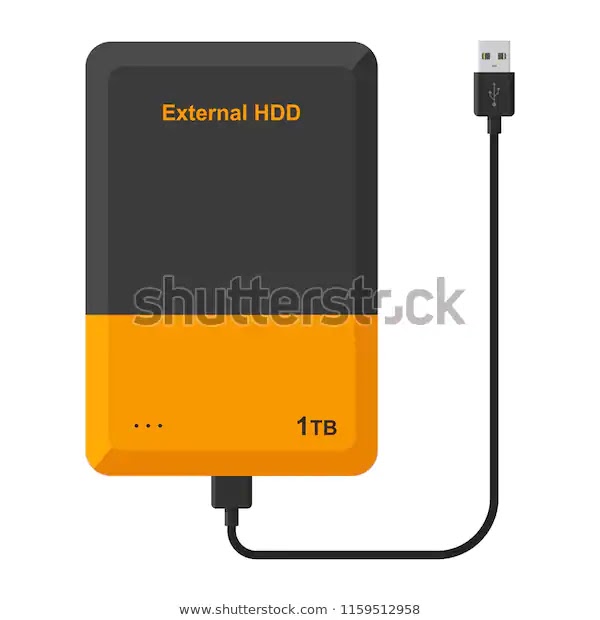
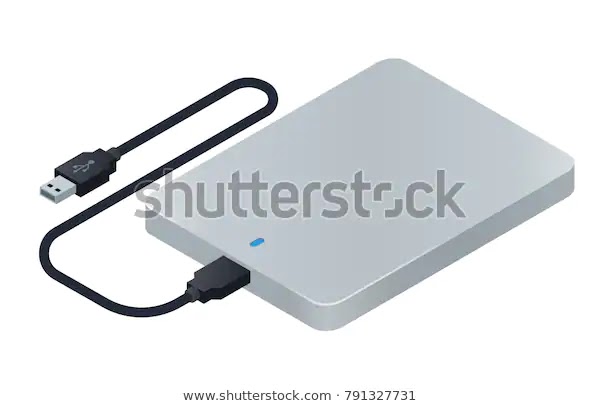
Follow the steps to connect a 1TB hard disk with your android smartphone. For this, your mobile must have OTG ( On the Go) feature.

1. Buy one 1 TB hard disk from an online / electronics shop. Better buy with USB 2.0, USB 3.0 support option.
How do I connect a 1TB hard disk with an Android smartphone?


2. Buy  mobile OTG cable  or Adaptor from an online / electronics shop 
How do I connect a 1TB hard disk with an Android smartphone?How do I connect a 1TB hard disk with an Android smartphone?

3. Connect Micro USB end in Mobile.

How do I connect a 1TB hard disk with an Android smartphone?

4. Plug one data cable end in Hard disk  and another end in OTG cable female port

How do I connect a 1TB hard disk with an Android smartphone?
5. Now mobile will show External file folder and click.


How do I connect a 1TB hard disk with an Android smartphone?

6. So, now you can share any files between both devices

Why does the screen refresh rate matter so much in a smartphone? - Tech Review

Why does the screen refresh rate matter so much on a smartphone?

Why does the screen refresh rate matter so much in a smartphone? - Tech Review

A refresh rate is the number of times your monitor updates with new images each second. For example, a 60 Hz refresh rate means the display updates 60 times per second. A higher refresh rate results in a smoother picture

It is required in Gaming mobile for higher graphics support and color.

The term refresh rate, in layman terms, is the count of how many times the screen refreshes its image in one second. It is basically measured in Hz. At present, most smartphone displays have a 60Hz refresh rate, or in other words, even if you are viewing a static image, your display is redrawing the same picture or is pushing the same frame 60 times every second.
At times people tend to get confused between higher refresh rates and higher frame rates (Hz vs FPS). FPS is the count of how many frames are being pushed to the display every second. FPS is related to the content you run on the screen, which might be a video or a game.
So, ideally, if your video has been shot and packaged at 90 frames per second (FPS) and your display has a 90Hz refresh rate, your phone will be able to push all frames.
Similarly, you can play games or videos at 90fps on 90Hz refresh rate panel but not on a display with a lower, say 60Hz, refresh rate.
If you feed 60fps content to a 90Hz screen, the display will either switch to 60Hz or duplicate some frames.
What does a higher refresh rate screen feel like? The impact is subtle yet noticeable and, we’d say, quite addictive. If you are scrolling in App drawer, in your browser, settings menu, or your social media feed, your content will flow up and down smoothly with less friction. Kind of like the difference you’d feel between pushing an ice slab and a wooden slab on a marble floor. Similarly, animations are smoother too.
Higher Refresh Rate displays: Advantages and Disadvantages
Pros
  • Noticeably smoother scrolling and animations
  • Less eye fatigue
Cons
  • Consume more battery
Limitations 
Not much content is available to take advantage of 90Hz, so most videos and games push only 60 frames per second. This is also why most high refresh rate phones are programmed to dial down to 60Hz refresh rate when you are watching videos.

Difference Between Touch Refresh Rate and Display Refresh Rate

Touch Refresh Rate means the speed at which the screen can register your touch and respond by starting to render the next frame in an animation.
If the touch refresh rate and the display refresh rate are both clocked at 60Hz, it means the tracking and refreshing coincide, and the animations are rendered one interval later.
However, say, if the touch refresh rate is 120Hz and the display refresh rate is 60Hz, animations will still be snappier and smoother, and your screen would still appear to be more responsive, but the overall experience won’t match the fluidity of having a 120Hz refresh rate screen.
The iPhone Xs and Xs Max, for instance, have a 120Hz touch refresh rate, and the new iPad Pro 2018 has a 120Hz display refresh rate.

Best Phones with higher refresh rates – 90Hz or 120Hz

Why do most of the cell phones work for 2 years only inspite of them being costly? - Tech Review

Why do most of the cell phones work for 2 years the only in spite of them being costly?

Why do most of the cell phones work for 2 years only inspite of them being costly? - Tech Review

Nowadays a lot of new phones came into the market daily. People's population is getting higher too day by day. So the mobile requirement is high. Mobile manufacturers also increased high compare to the old days. Old days we know only iPhone, Nokia, Samsung, Motorola, and their technology is not up to the mark. Once china came into the electronics market everything changed. People start to like new technology like touch screens, GPS, FM radio. 

From this moment manufacturers think to launch new technologies. But cost-wise it becomes higher. If they launched at higher prices, old people won't buy this mobile. So they planned to reduce manufacturing costs low. For this, they started with low-quality material and low-cost material to make mobiles. The lifetime of parts is maximum 2yrs. So that we are facing issue after 1yr like screen and touch.

Better to buy branded phones for a better life.

How do you connect a smartphone to a printer via USB? - Tech Review

How do you connect a smartphone to a printer via USB?

How do you connect a smartphone to a printer via USB? - Tech Review
Hi,

Follow the steps to connect a smartphone to a printer Via USB cable. For this, your mobile must have OTG feature

1. Buy one Mobile OTG cable and printer OTG cable  from Online store / Electronics shop
How do you connect a smartphone to a printer via USB? - Tech Review

2. Connect Micro USB end  in mobile

3. Insert another end into printer OTG Cable
How do you connect a smartphone to a printer via USB? - Tech Review

4. Now allow printer access in mobile

5. Go to the document on mobile which is you need to take a printout and click the print option

6. Select that printer and printout will come.

What should we need to do if the mobile fell down in the water? - Tech Review

What should we need to do if the mobile fell down in the water?

What should we need to do if the mobile fell down in the water? - Tech Review

Hi,

Follow the steps to recover your mobile after dropping into the water

1. Turn OFF the mobile and remove the cover as much as possible

2. Remove the battery

3. Use soft  clothes to clean 

4. Keep in sunlight min 30 mins

5. Rotate and keep in the sunlight another 30mins

6. Turn ON the mobile

How do I clean and disinfect a smartphone? - Tech Review

How do I clean and disinfect a smartphone?


Hi,

Kindly follow the steps to clean your smartphone.

Do's:

1. Use soft clothes

2. Use alcohol-based cleaners

3. Use wet clothes

4. Use cleaned hands

Don'ts:

1. Do not dip phone in water

2. Do not dirty clothes

3. Do not use used clothes

What is a renewed phone? - Tech Review

What is a renewed phone?

The renewed phone is another name of 2nd handphone / Refurbished phones

Nowadays lots of new phones came into the market and people change their phones on an exchange basis. Or Phone will come with minor defects and customers will reject that. 

It may have small dents, small faults like touch issues, camera issues, battery issues.

Once dealers got the exchanged phones/Rejected phones, they will give it to the service center. There they will change defective parts and make it as original as brand new. 

In that mobile, they won't change fully. They will do a slight modification. After that, they will run some basics tests. If all pass, it will come into the mark as a renewed phone.

From my suggestions, buy always branded phones.

Pros:

1. Rate is low

2. Good for two phone users

3. Additional support 

Cons:

1. Life is less

2. Sometimes if any faulty, will leads to big damages

What should I do to drain mobile battery faster? - Tech Review

What should I do to drain the mobile battery faster?


Hi,

Please follow the things to drain your mobile battery faster.


1.  Put the phone in higher brightness

2. Turn ON mobile data, Hotspot and connect to many devices

3. Run all apps

4. Put music player run in the background

5. Turn on location 

6. Play heavy graphics games like GTA, Asphalt, Pup G, Etc

7. Turn ON -  all mobile features on expecting mobile battery saving option

8. Restart the mobile many times

9. Download many files as  much as possible

10. Run video recording

How to Improve battery lifespan - Tech Review

Battery Lifespan Improve

How to Improve battery lifespan - Tech Review

For Cell phone battery lifespan improvement,

  • you must use a correct and original charger to the phone.
  •  Do not show mobile in sunlight. Reduce your screen brightness to save power. 
  • Better put in auto-brightness. It will take less battery power. 
  • Do not play/watch/call with the mobile charged condition. 
  • Whenever you are charging your phone, turn off mobile data and put it. 
  • Do not do overcharging 
  • Remove charging after reaching 100% instead reach to less than 100%

Phone Battery Capacity checking - Tech Review

Phone Battery Capacity checking

Please check the following things to know your mobile battery capacity.
  1. Mobile packing box
  2. Mobile Backside or front side paper (New Mobile)
  3. Open the phone backside cover and check ( If Removeable battery)
  4. Go to Settings, Click About, Click Phone information
All specifications of the phone including battery capacity is written on the phone box. If you don't have a phone box, then there are a few other methods that can help you find out how much your phone's battery capacity is.
The battery capacity of smartphones is generally measured in mAh. mAh (short for milliampere per hour) is the unit of electric charge. Let's say your phone has a battery capacity of 4000mAh. It means that your phone's battery can supply 4000 mA for one hour or 2000 mA for 2 hours or 40 mA for 100 hours, and so on depending on its usage.
This guide shows you various methods to find out the battery capacity of your Android smartphone. We will also discuss which apps are draining your phone's battery most and how you can extend the battery life.
Find battery capacity (mAh) from Android settings
You can find all information about your Android smartphones such as battery capacity, Android version, kernel version, build number, IMEI number and more in the about section of the phone settings. Here's a step-by-step guide -
  1. First, open Settings app in your phone.
  2. Scroll down to the bottom and click About option.
  3. Under Battery Information, you will see the battery capacity of your Android phone. Here you will also see the battery level and status (charging or not charging).
As shown in the above picture where we have used a Samsung smartphone, it is showing the typical battery capacity of the phone which is tested under third-party laboratory conditions.
You will also see the minimum capacity of the battery which is considered to be real. However, the actual battery life may vary depending on the network environment, usage pattern, and other factors.
Another simple way to find out the battery capacity of your Android phone is by searching its specifications on Google. If you know the model name of your phone, simply search it on Google and visit any of the trusted websites to check the specifications of the phone.
Find battery capacity on Android using AccuBattery app
AccuBattery is an app for Android that will show you all the battery information of your phone such as battery usage, battery capacity (mAh), battery health & more. You can also find out the charging speed of your phone.
AccuBattery app will monitor your phone's battery life and suggest your various tips to optimize its performance. You can download AccuBattery app on your Android phone from Google Play Store for free.
Once you have downloaded it, open the app and move to the Charging tab. Here you see how much battery life is remaining. Scroll down to the bottom and there you will see the Battery Capacity Estimate section. The design capacity shows the real battery capacity of your phone.
Phone Battery Capacity checking
Over the time period, your phone's battery life will also decrease. The estimated capacity shows how much capacity (mAh) your battery has lost over time, however, it is just an estimated value based on the current charging session.
Find which apps are draining your phone's battery
Android has a built-in feature that monitors your phone's battery usage and tells you which apps are draining the most battery. Some manufacturers (Samsung, for example) also have power saving mode which will extend the battery life.
Open Settings app on your phone and click the Battery option. In some smartphones, you will find this Battery option under Device Maintenance. Now go to Battery Usage and there you will see a list of apps and device services that are draining the most battery life on your phone.
Phone Battery Capacity checking
You can tap the Save Power button to stop apps from using your phone's battery in the background. Samsung smartphones also have power saving mode which will limit the background network usage, apply speed limiters, disable biometrics, and decrease brightness to extend battery life.
Phone Battery Capacity checking